Timestamped comments
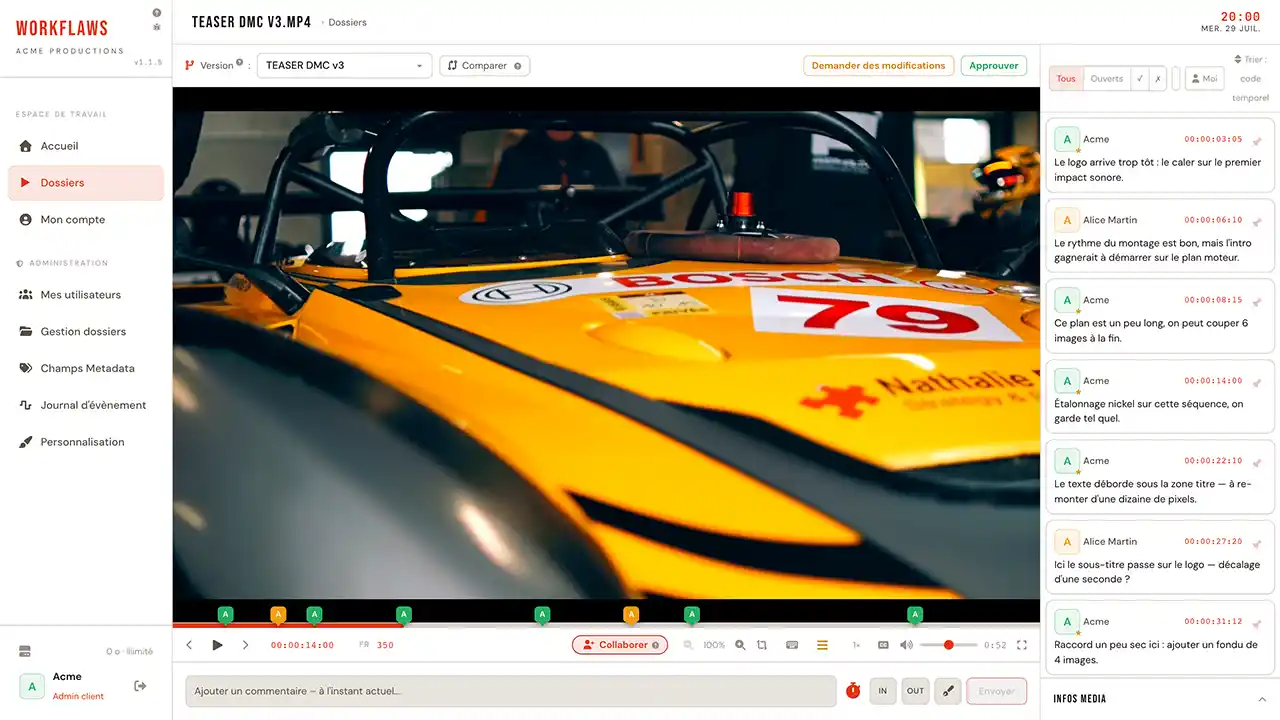
Colour-coded pins on the timeline, one per reviewer, with reply threads and approved / needs work statuses controlled by the admin.
click a pin → seek to the frame
Workflaws brings your team around one video & audio review: comments timestamped to the frame, drawn annotations, sessions synchronised in real time.

Video or audio, everything you need to give a precise note and follow it through to the final version. Nothing for your client to install.
Colour-coded pins on the timeline, one per reviewer, with reply threads and approved / needs work statuses controlled by the admin.
click a pin → seek to the frameSeven-colour palette, undo/redo, playback pauses on its own. Every stroke is saved as WebP and tied to its frame.
z / y · undo, redoEditable SMPTE display, arrow-key navigation, in/out loop (i/o) to pore over a passage.
00:01:24:12 · h:m:s:imagePut two cuts side by side with synchronised playback, and see at a glance what moved between two renders.
v1 ⇄ v2 · same timecodePlayback, seeking and annotations synchronised across everyone in the room. One shareable link starts a remote review.
made for video callsGroup renders into versions, file them in nested folders, share by revocable link. Trash with restore.
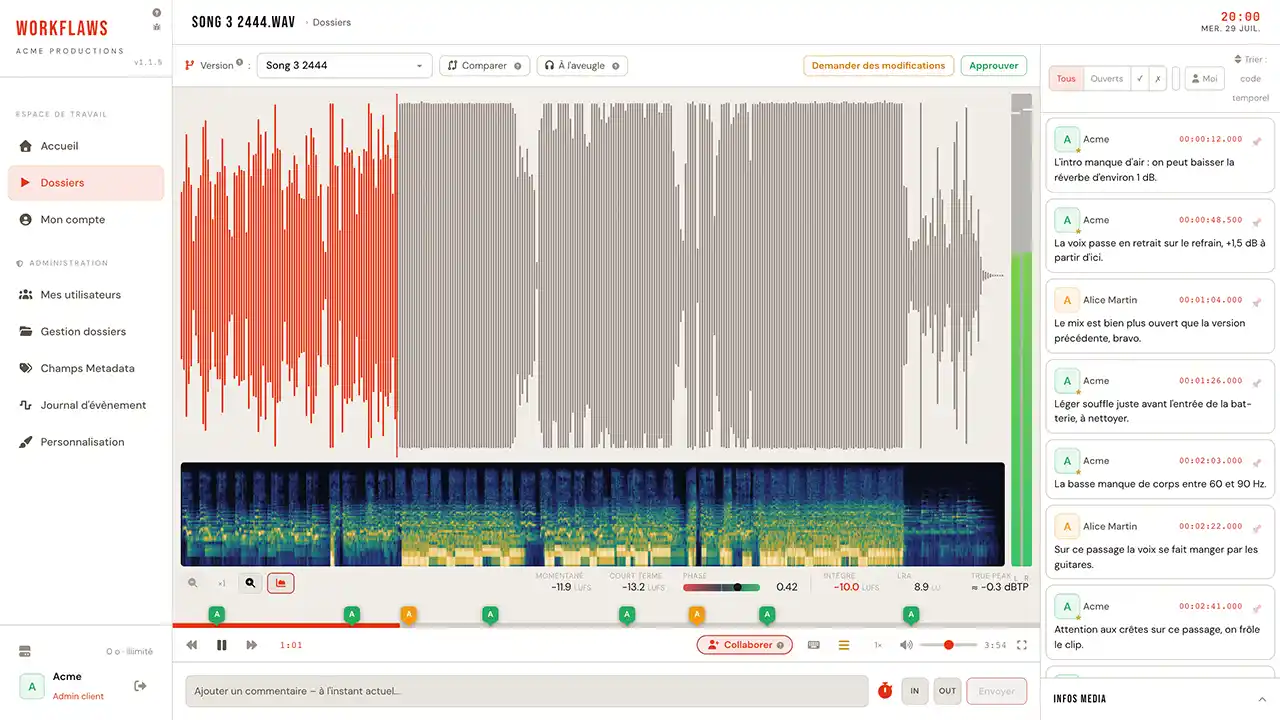
drag & drop · v1 → v2 → v3Every sound file shows its waveform full width: click and playback moves to where you are looking, to the hundredth of a second.
MP3 · WAV · AAC · FLACThe same colour-coded pins as on video, dropped straight onto the wave, with reply threads and approved / needs work statuses.
click a pin → seek to the secondSwitch from one version to the other without cutting the sound or losing your place: the playhead carries across both files.
mix ⇄ master · instant switchBuilt with sound engineers: compare two versions without knowing which is playing, and decide by ear rather than by label.
A / B hidden · revealed at the endPlayback and position shared across everyone taking part: the whole room hears the same passage at the same moment.
made for video callsSet an in and an out point to loop the eight bars that are causing trouble, for as long as it takes to find the right words.
i / o · in, outThe full detail, tool by tool: video review · audio review.
Side by side, as an overlay wipe or a flip, on the same timecode. That is what the comparator does, and that is what you are doing here.
Drag the handle to compare
Built for studios and agencies who want to give their clients a proper way to weigh in, without giving up the comfort of a modern tool.
Our tools let you run a professional review of your videos, version by version, and compare them in real time.
Developed with the backing of recognised sound engineers, Workflaws offers metering, comparison and blind testing tools.
Compare different versions of your video or music with precise tools, so no correction slips through.
Write your notes to ask for a fix or an adjustment, on an exact timecode or across a section of your choosing.
Review your projects with several people at once through the “Collaborate” feature. Playback stays in sync for everyone.
On every comment or new media file, an email goes out to the users with permissions on your project.
What changes from one plan to the next: the number of clients, media storage and encoding quality.
We host, secure and maintain Workflaws for you. Workspace ready within 24 hours, continuous updates, no system administration on your side.
Workflaws grew out of a personal need, and we mean to keep that spirit. Which is why our plans suit a brand-new one-person business as much as an established agency.
Card required at sign-up, nothing charged during the trial. VAT not applicable under article 293 B of the French tax code: the amounts shown are the amounts due.
To try Workflaws on a real project, with no card.
For a freelance or a small studio following a few clients.
For a regular review workload, delivering in 4K.
No time limit, no file size ceiling, white-labelling included.
Compare the five plans line by line Sixty-eight rows: storage, encoding quality, video and audio review, sessions, exports, hosting.
Everything worth knowing before you open your first review workspace.
Yes. All five paid plans start with a 30-day trial, monthly or yearly. Your card is saved at sign-up, but nothing is charged during the trial: the first payment is taken on day 31. Cancel before the trial ends and you are not charged.
A few minutes. Once your sign-up is confirmed, your workspace is created automatically and your login details arrive by email. You choose your password on first sign-in.
A client is someone you open an access and their own folder to. That is the metric which separates the plans, along with storage: it follows your business rather than the size of your team.
Video, audio and images: MP4, MOV, MP3, WAV and many more. The FFmpeg pipeline transcodes automatically for browser playback, with hardware acceleration and thumbnail generation.
No, everything happens in the browser. A revocable share link is enough for a client to watch a video and comment, without even having an account.
Yes, at any time, from the Billing section of your account. A plan change takes effect immediately on your media space.
Your workspace is suspended, but nothing is deleted automatically: your media and comments stay in place. Get in touch to retrieve them or to reactivate your subscription.
Payment is handled by Stripe on its own secure pages: no card data passes through our servers or is stored there.
Another question? Write to us, we answer quickly.
Custom storage volume, a question about a plan, a quote request: write to us and we answer within one business day.
Thank you, we will get back to you within one business day, at the address you left us.